
 Bobby Wilson
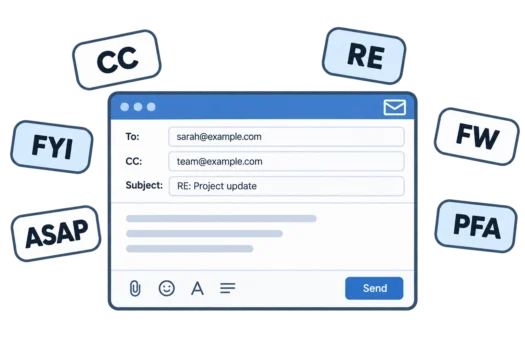
Email abbreviations are short forms used in email fields, subject lines and messages, such as CC, FYI and ASAP. Some help you address an email, while others shorten common phrases. You may see them in different parts of an email, depending on what they mean and how they are used.
Abbreviations You See in Email Fields and Subject Lines
BCC (Blind Carbon Copy)
BCC means Blind Carbon Copy. People added to the BCC field receive the email, but their addresses are hidden from other recipients.
CC (Carbon Copy)
CC means Carbon Copy and lets you send someone a copy of an email without making them the main recipient. Everyone receiving the email can see the addresses in the CC field. The difference between CC and BCC is whether copied recipients’ addresses are visible.
EOM (End of Message)
EOM means End of Message. You may see it at the end of an email subject line when the subject contains the entire message.
FW or FWD (Forward)
FW or FWD means Forward. When you forward an email, your email service may add FW: or FWD: to the subject line to show it was forwarded.
RE (Regarding)
RE comes from the Latin phrase in re, meaning “regarding” or “about”, although many people read it as “reply”. When you reply to an email, your email app usually adds RE: to the subject line.
Abbreviations Used in Email Messages
ASAP (As Soon As Possible)
ASAP means As Soon As Possible. It is used when someone wants something done quickly, although it does not specify an exact deadline.
COB (Close of Business)
COB means Close of Business and refers to the end of an organisation’s usual working hours. If someone asks for something by COB, they expect it before the business day ends.
EOD (End of Day)
EOD means End of Day. You may see it in emails about deadlines, although the exact time can be unclear unless the sender specifies it.
FYI (For Your Information)
FYI means For Your Information. You may see it before an update that someone wants you to know about, without necessarily expecting you to take action.
KR and BR (Kind Regards and Best Regards)
KR means Kind Regards, while BR means Best Regards. Both are shortened sign-offs you may see at the end of an email. They are alternatives to writing out the full words when you end an email.
NB (Note Well)
NB comes from the Latin phrase nota bene, meaning “note well”. It is used to draw your attention to an important detail, usually before an additional note in an email.
NRN (No Reply Needed)
NRN means No Reply Needed. You may see it at the end of an email when someone is sharing information but does not expect you to respond.
OOO (Out of Office)
OOO means Out of Office. You might see it in an automatic email reply or subject line when someone is away from work.
PFA (Please Find Attached)
PFA means Please Find Attached and indicates that a file is included with an email. It is common in Indian business emails but may be unfamiliar to people elsewhere.
TBC and TBD (To Be Confirmed and To Be Decided)
TBC means To Be Confirmed and indicates that a detail is awaiting confirmation. TBD means To Be Decided and indicates that a decision has not been made. You may see either abbreviation beside dates, times or plans.
Technical Email Abbreviations
2FA (Two-Factor Authentication)
Two-factor authentication, or 2FA, uses two different ways to verify your identity when you sign in. With two-factor authentication for email, you might enter a code from an authentication app after entering your password.
E2EE (End-to-End Encryption)
E2EE means End-to-End Encryption. It protects a message so that only the sender and intended recipient can read its contents. You may see this term when comparing private email providers or reading about encrypted email.
IMAP (Internet Message Access Protocol)
IMAP stands for Internet Message Access Protocol. It allows email apps to access and synchronise messages stored on an email server. With IMAP, you can use the same mailbox across different devices.
POP3 (Post Office Protocol)
POP3 stands for Post Office Protocol version 3. It retrieves messages from an email server, often downloading them to your device. Unlike IMAP, POP3 does not normally keep all your email folders synchronised across devices.
SMTP (Simple Mail Transfer Protocol)
SMTP stands for Simple Mail Transfer Protocol and is used to send email between systems. Your email service or app uses SMTP when sending messages.
SPF, DKIM and DMARC
SPF stands for Sender Policy Framework, DKIM for DomainKeys Identified Mail, and DMARC for Domain-based Message Authentication, Reporting and Conformance. These email authentication methods help receiving servers check whether messages are authorised and how to handle certain authentication failures.
When Should You Use Email Abbreviations?
Abbreviations such as CC, RE and FW appear in email fields and subject lines. Your email app often adds them automatically, and they are widely understood across email services.
Message abbreviations such as FYI and ASAP are generally fine with colleagues and people you email regularly. Avoid them in formal emails, job applications or when contacting someone for the first time. They can make your message seem rushed or unclear, so consider your reader when you write an email.
Some abbreviations are more common in particular countries, such as PFA in India. Write the words out in full if your reader may be in another country. Deadline abbreviations such as EOD and COB can also mean different times to different people, so give an exact time when the deadline matters.