

A private email provider is an email service designed to collect, see and share as little information about you and your messages as possible. These services ...
 Bobby Wilson
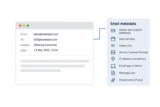
Email metadata is information about an email rather than what the message says. It includes who sent it, who received it, when it was sent and how it ...
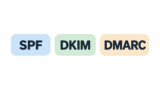
SPF, DKIM and DMARC are three email checks that help email services confirm whether a message comes from the domain it claims to. A domain is the part of an ...
An email usually fails to send because of a connection problem, something in the message itself, or a problem with your account or email app. When this ...

An email bounces back when it cannot be delivered to the person you sent it to. You usually receive an automatic message saying delivery failed and explaining ...

Mailer-Daemon is the name used by the automatic system that delivers email. A message from Mailer-Daemon usually means an email you sent could not be ...
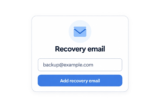
A recovery email address is a second email address you add to an account so the provider can contact you and help you get back in if you forget your password ...
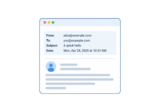
An email header is the part of an email that holds information about the message, such as who it is from, who it is to, the subject and the date, along with ...
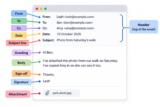
An ordinary email can have a From field, a To field, Cc and Bcc fields, a subject line, a greeting, a body, a sign-off, a signature and attachments. Together, ...
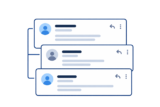
An email thread is the original email and the replies that follow it, grouped together as one conversation. This lets you follow the exchange without having ...