
 Bobby Wilson
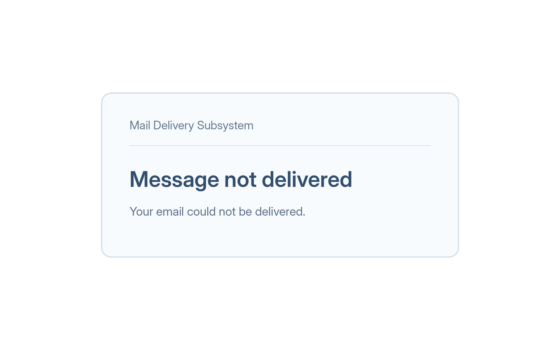
An email bounces back when it cannot be delivered to the person you sent it to. You usually receive an automatic message saying delivery failed and explaining why.
What Does Bounced Mean in Email?
In email, “bounced” means your message was returned to you because it could not be delivered. The word comes from the idea of the email hitting a barrier and coming back, and the problem might be with the address you entered, the recipient’s account or the email service trying to accept the message.
A bounce can happen almost immediately or after a delay. Your original email may still appear in your Sent folder, even though the other person never received it. If you sent the same message to several people, a bounce may concern only one of their addresses.
This is different from an email that is not sending. A message stuck in your Outbox has not been sent from your email app, whereas a bounced message has been sent but could not be delivered.
What Does a Bounce Message Look Like?
The notification often comes from Mailer-Daemon or Mail Delivery Subsystem, names used for automatic email delivery notices. Its subject might say “Delivery Status Notification (Failure)”, “Undeliverable” or “Message not delivered”.
For example, you might see a message saying “Address not found” followed by the email address that failed. Another might say “Mailbox full” or “Message too large”. These notices can look technical, but the first few lines often tell you what went wrong.
You may also see a longer explanation beneath the main message. The email header contains details about who sent the notice and how it travelled, although you normally do not need to inspect it to understand the failure.
Why Do Emails Bounce?
Emails bounce for several reasons. Some problems can be corrected straight away, while others depend on the recipient or their email provider.
- The address is wrong or no longer exists. A missing letter, an extra character or an old email address can stop the message from reaching anyone.
- The recipient’s mailbox is full. The person may have reached their email storage limit, leaving no room for new messages until they free up space.
- The receiving email service is unavailable. The service handling the other person’s email might be down, busy or temporarily unable to accept messages.
- The email is too large. A message containing large files can exceed the provider’s size limit. This often happens with photos, videos and other email attachments.
- The message has been blocked as possible spam. The receiving service may reject it if its filters mistake it for spam email, meaning unwanted or unsolicited messages.
- The sender failed security checks. The recipient’s service may reject the email if the sender’s domain (the part of an address after @) fails SPF, DKIM and DMARC checks, which help verify where messages come from.
A bounce does not automatically mean you have been blocked by the person you emailed. It only tells you that delivery failed, and the reason in the notice is the best place to start.
Hard Bounce vs Soft Bounce
There are two main types of bounced email: hard bounces and soft bounces. The difference is whether the delivery problem is permanent or temporary.
A hard bounce means delivery has permanently failed. This often happens because the recipient’s address does not exist, so sending the same message to that address again will not work unless you correct it.
A soft bounce means there is a temporary problem, such as a full mailbox or a busy receiving service. The message may be delivered later, and email services often try sending it again automatically for a while. If those attempts fail, you may receive a final delivery failure notice.
What to Do When Your Email Bounces Back
First, read the bounce message rather than sending the email again straight away. Look for the recipient’s address and a short reason such as “Address not found”, “Mailbox full” or “Message too large”. That will usually tell you what to check next.
If the address is wrong, correct any spelling mistakes and send the message again. Check the whole address, including the part after the @ symbol, and make sure an old saved contact has not supplied an incorrect address.
If your email was too large, remove or reduce the size of the attachment. You can also upload the file to a suitable service and send a link instead. If the problem is temporary, try again later, unless the notice says the email service is still attempting delivery.
If the address looks correct but the email keeps bouncing, contact the person another way. They can confirm their address, clear space in their mailbox or check whether their email service is having problems.
What If You Get a Bounce for an Email You Never Sent?
Sometimes you may receive a delivery failure message for an email you do not recognise. One explanation is email spoofing, where someone sends messages that pretend to come from your address. The failed delivery notice can then be sent to you, even though the original message did not come from your account.
Another possibility is that someone has gained access to your email account and sent messages without your permission. An unexpected bounce does not prove this has happened, but you should check your Sent folder and recent account activity. If you find messages or sign-ins you do not recognise, take steps to secure an email account that has been hacked.