
 Bobby Wilson
I like mailbox.org, and I would have no problem using it for my daily email. The computer version looks and feels good, and the everyday features I tested were straightforward to use. My main frustrations were finding where to pay and a phone experience that felt much more basic than the computer version.
I paid for the Standard plan for this review, so that is the version I tested. I tried ordinary email, attachments, aliases, protected messages, the mobile browser, calendar, contacts, tasks, file storage and the office tools. The results gave me a positive impression, with some clear limitations worth understanding before choosing a plan.
- Computer version I enjoyed using
- Straightforward alias creation and sender selection
- Useful calendar, storage and office tools
- Prices starting from €1 a month
- Basic mobile browser experience
- No mailbox.org email app in the App Store or Google Play
- Additional setup for stronger message encryption
- Sending to other email providers blocked during the free trial, so you can’t fully test it without paying
Verdict: I found mailbox.org more than capable enough for everyday email, with a computer version I would be comfortable using. Its payment controls and phone experience need more polish, but I think it offers incredible value. Light starts at €1 a month with annual payment, while Standard and Premium include generous allowances for extra email addresses.
What is mailbox.org, and who runs it?
mailbox.org is a paid email service with a collection of connected tools, including a calendar, contacts and tasks. Standard and Premium also include file storage and applications for working on documents, spreadsheets and presentations. You can use the service in a web browser or connect compatible email software to your account.
The service launched in 2014 and is operated by Heinlein Hosting GmbH in Berlin, Germany. Its CEO is Peer Heinlein, and the company is part of the Heinlein Group. Its background includes the earlier JPBerlin internet service. mailbox.org’s stated policy is that its Berlin servers and offices run on renewable electricity.
mailbox.org pricing: Light, Standard and Premium
mailbox.org has three personal plans. Prices are listed in euros, and the monthly equivalent of an annual subscription is different from the price of paying month by month. Light can only be paid yearly, so it costs €12 upfront for a year.
| Plan | Annual total | Monthly equivalent with annual payment | Monthly billing |
|---|---|---|---|
| Light | €12 | €1 | Not available |
| Standard | €36 | €3 | €4 |
| Premium | €108 | €9 | €12 |
Here are the differences most likely to affect an everyday email account. Using your own domain means having an address with a name you own, such as you@yourname.com, instead of one ending in @mailbox.org.
| Feature | Light | Standard | Premium |
|---|---|---|---|
| Email storage | 2 GB | 20 GB | 50 GB |
| Extra addresses sharing your inbox | 3 | 25 | 25 |
| Extra addresses using your own domain | Only through a family account | 50 | 250 |
| File storage, separate from email | None | 10 GB | 100 GB |
| Online document editing | No | Yes | Yes |
| Calendar, contacts and tasks | Included | Included | Included |
I think Light at €1 a month is excellent value for someone who does not need their own domain or the extra office tools. However, it includes 2 GB of email storage, so someone keeping lots of messages and attachments should check that limit. My hands-on assessment comes from Standard, rather than a separate test of Light. My 9/10 value score reflects Light’s low entry price and the useful features included with Standard.
Standard provides more room for email and adds the storage and office applications discussed below. Premium increases the storage and custom-domain allowances again and adds faster support, including telephone callbacks.
Light does not allow storage add-ons. On Standard, extra email storage costs €0.20 per GB each month, while Premium charges €0.10. Extra Drive storage costs €0.40 per 5 GB each month on Standard or €0.20 on Premium.
What the free trial lets you test
There is a 30-day trial, but during my unpaid trial I could not send emails to my Gmail or Proton addresses. mailbox.org blocks sending to other email providers on unpaid trial accounts to stop spammers abusing it. Sending to mailbox.org addresses is allowed within a limited daily allowance, and paying removes the restriction. I understand the reason, but sending to people on other services is something I would want to test before paying.
Signing up and paying for mailbox.org
I do not understand why the service blocks such an important part of testing and then does not make the route to payment more obvious on the main screens. Without being able to email anyone outside mailbox.org, the trial felt more like a showcase than a proper trial. Finding where to pay was more confusing than the card transaction itself.
When I clicked the plan, I received an error. I then chose “Change plan” and accepted the obligation to pay, but a red message said “this package is already set”. That did not explain where I should go next.
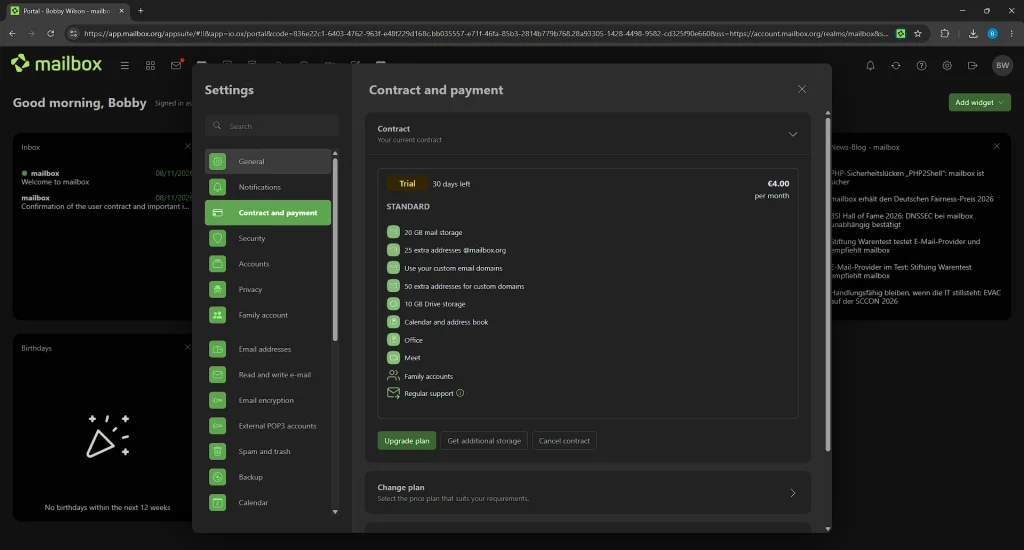
I eventually had to scroll down and expand a Payment section that was not visible at first. There was another annoyance when I selected a payment method and switched between one month and twelve months. My payment selection jumped back to bank transfer.
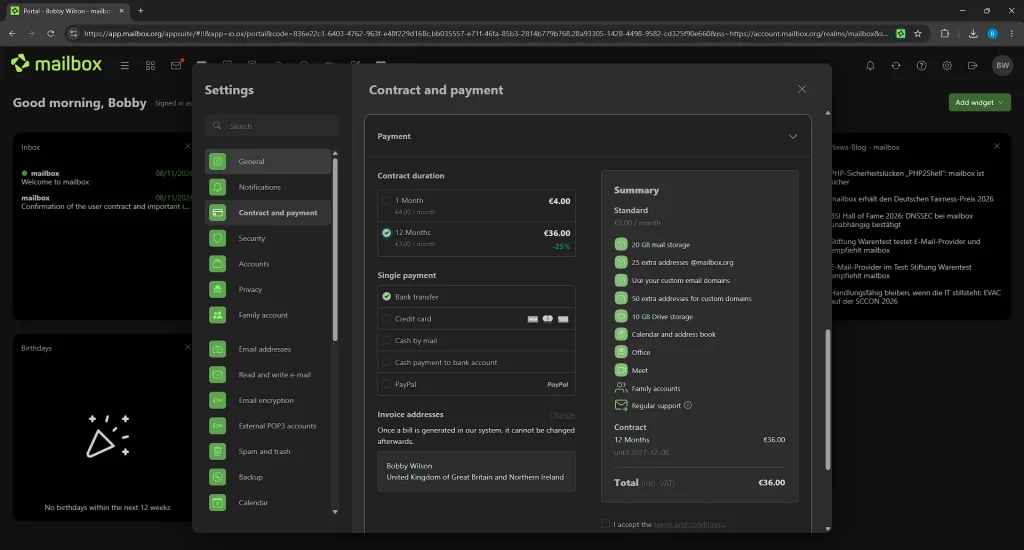
That is what happened in my account, rather than a claim that everyone will encounter the same behaviour. Once I reached card payment, it went smoothly. My criticism is about finding and using the payment controls, rather than the whole sign-up process.
What is mailbox.org like to use?
Inbox, writing emails and attachments
The computer version made a better impression on me than the payment settings. I liked how it looked and felt, particularly the window for writing emails, which opens out towards you.
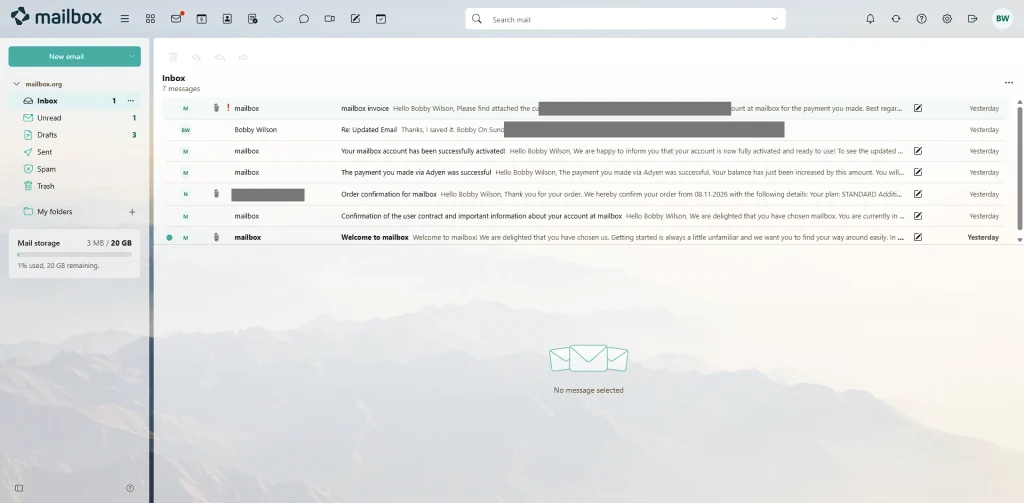
My emails with attachments arrived in both my Gmail and Proton inboxes. Undo send also worked in my test.
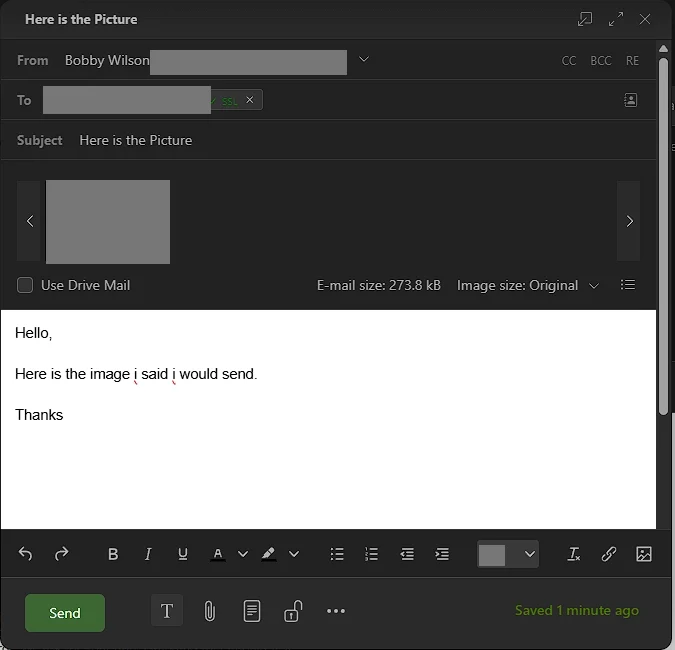
Creating and sending from aliases
An alias is an extra email address that delivers to the same inbox. It lets you use different addresses without managing separate email accounts. For example, you might want a different address for shopping and personal correspondence.
Creating my mailbox.org alias was really easy: I typed the address and clicked Save. Choosing that address when writing an email was straightforward too. The alias I tested used the mailbox.org ending, rather than my own domain.
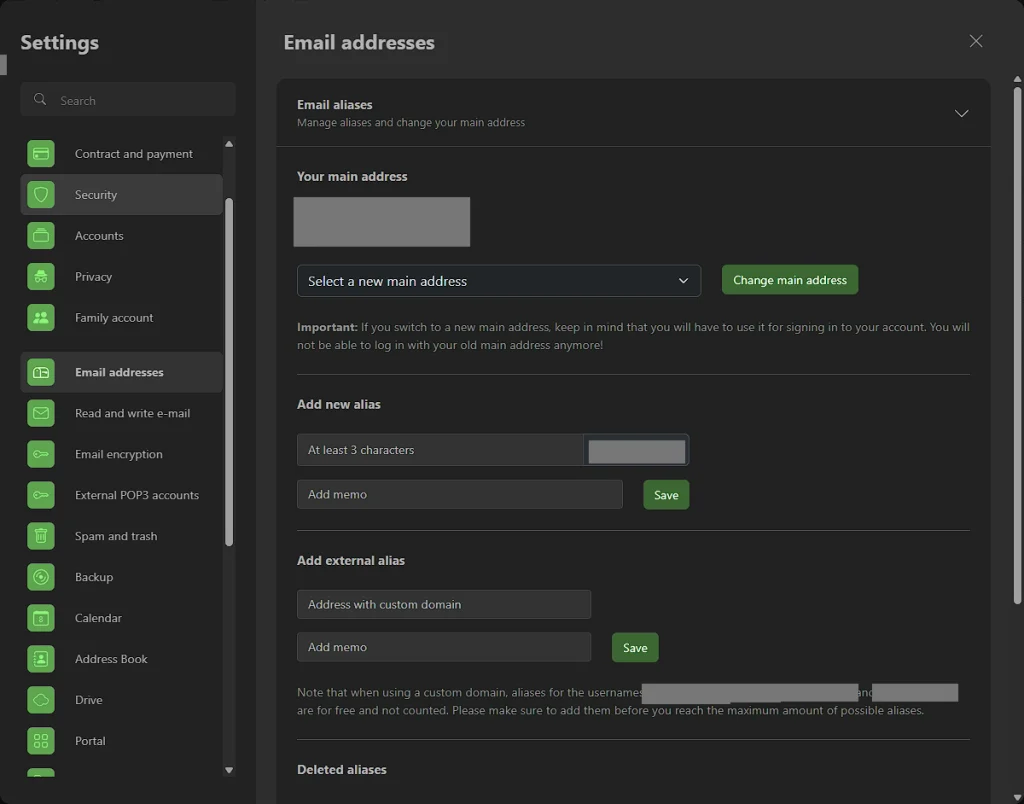
The email arrived in Proton showing the alias as the sender. My reply then arrived back in mailbox.org without problems. That gave me a practical check of both directions, rather than only confirming that I could create the address.
Using mailbox.org on a phone
The mobile browser worked for sending emails, and switching between my sending addresses was easy. My messages went through successfully from the phone too. I did not run into a problem with those basic actions.
However, the phone version felt much more basic than the computer version, and I was not a big fan of it. I thought mailbox.org looked much better on a computer.
mailbox.org does not have its own email app in the App Store or Google Play. You can install its web version from your browser, which adds an icon like an app, but it is the same browser version rather than a separate app. You can also connect other email apps instead, such as the one already on your phone, without paying for another email service.
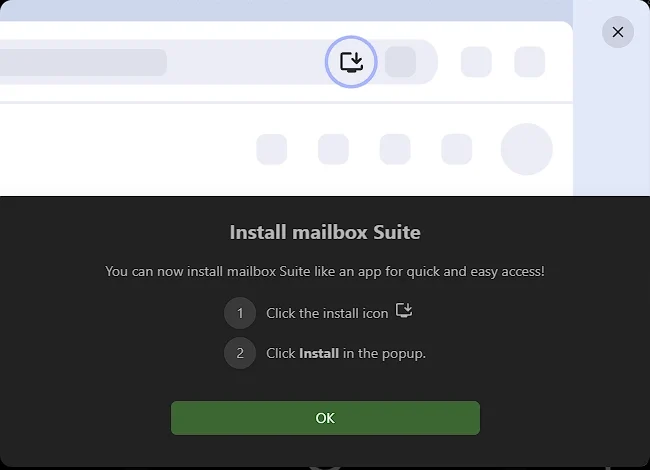
My view is that a consumer email provider should offer its own app rather than leave users to find and configure one. Someone already happy with their existing email software may feel differently.
How private and secure is mailbox.org?
What its encryption does and does not cover
Encryption scrambles information so only someone with the right key can read it. mailbox.org protects your connection when you log in, and protects emails while they travel between email services where the other service supports it. That is different from stopping the email provider itself from reading your messages.
End-to-end encryption means only you and the person you are writing to can read the message, not the email provider in between. mailbox.org offers this kind of stronger protection through tools you switch on and set up. Ordinary emails do not get it automatically.
Guard is mailbox.org’s built-in tool for sending and reading encrypted emails. Its documentation explains that the key used to open a protected message is unlocked on mailbox.org’s servers when you enter your Guard password. That means mailbox.org’s computers handle opening the protected message, rather than the whole process happening on your phone or computer.
There is also an optional encrypted inbox, which can lock incoming emails so only you can open them, using PGP, a system for protecting email with encryption keys. Mailvelope is another option, a browser extension that handles PGP on your own device.
How that differs from Proton Mail
With Proton, emails and attachments sent between Proton users are end-to-end encrypted automatically. Stored emails are also locked in a way that means Proton itself cannot open them. You do not need to set up a separate encryption tool for any of this.
That does not make every Proton email end-to-end encrypted. When you send a normal email to a Gmail address, your copy in Proton is protected, but the copy in the Gmail inbox is an ordinary email that Google can read. The same applies in reverse: an email arriving from another service is protected once it is stored in Proton, but the sender’s provider may still keep its own readable copy. Proton subject lines are not end-to-end encrypted either.
The practical difference is the starting point. With Proton, stronger protection is on by default. With mailbox.org, you have to switch it on, and how much it protects depends on which tool you use: Guard opens messages on mailbox.org’s servers, while Mailvelope does it on your own device. Someone who wants strong protection without setting anything up may prefer Proton, while someone mainly wanting ad-free email may find mailbox.org suits them well.
How Guard worked in my test
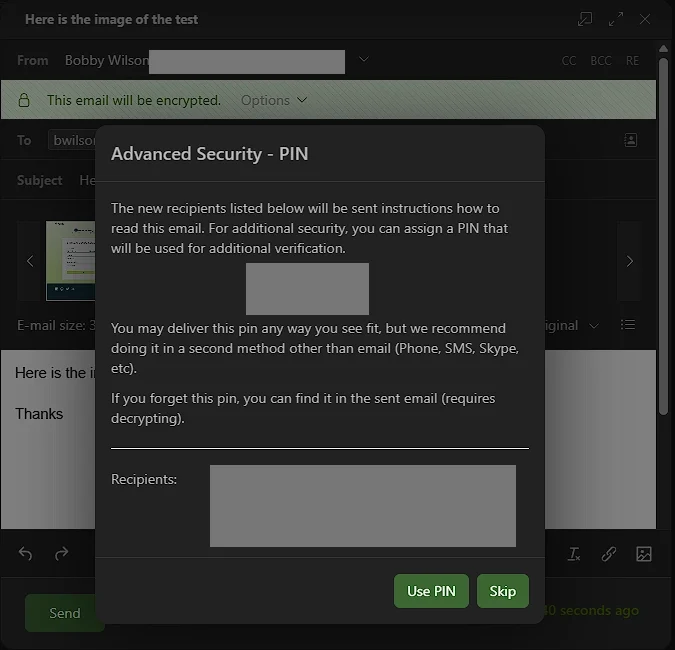
I sent a Guard-protected email to my Proton address. The notification took me to a mailbox.org guest page, where I was asked for a PIN and to create a password. I completed those steps and opened the message on a tablet that was not logged into my mailbox.org account.
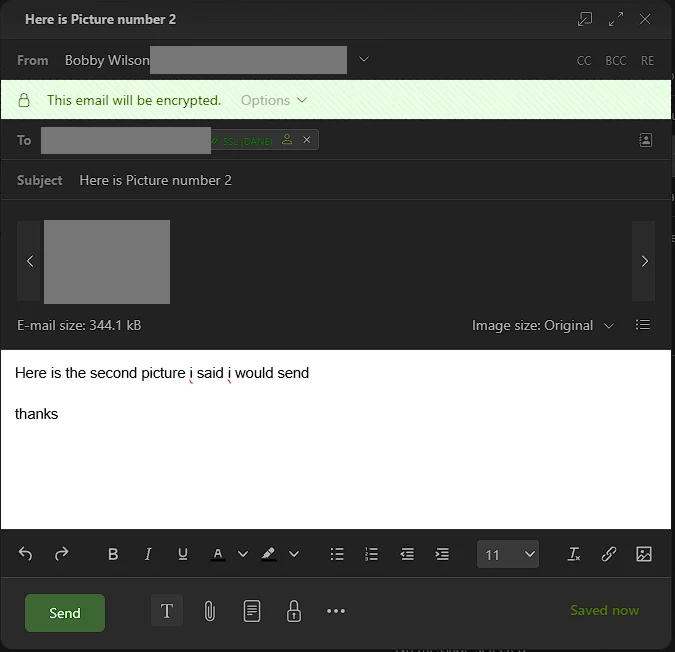
This lets someone read your protected message without setting up email encryption themselves. mailbox.org recommends sending the PIN separately, for example by text message, rather than in the same email as the link. The process worked in my test, but I was checking the recipient’s experience, not the encryption itself.
Privacy, logging and account protection
mailbox.org is paid for by subscriptions and advertises email without adverts or advertising tracking. It operates in Germany under German and EU data-protection rules. That does not mean it collects no information at all or can never be legally required to hand over data.
Its stated policy normally keeps records of webmail logins, including the IP address you connect from, for four days. An IP address identifies an internet connection. Records of delivered emails are kept for seven days and include the sender, recipient, a message reference number and size, but not the message text or subject.
These are specific types of record, not a promise that all account data is deleted after seven days. The company also publishes transparency information about requests from authorities. Its website measures visitors with its own cookie-free statistics tool rather than an outside tracking service.
Two-factor authentication, which asks for a second check when you sign in, is available, along with separate passwords for connecting other email apps.
Calendar, contacts and tasks
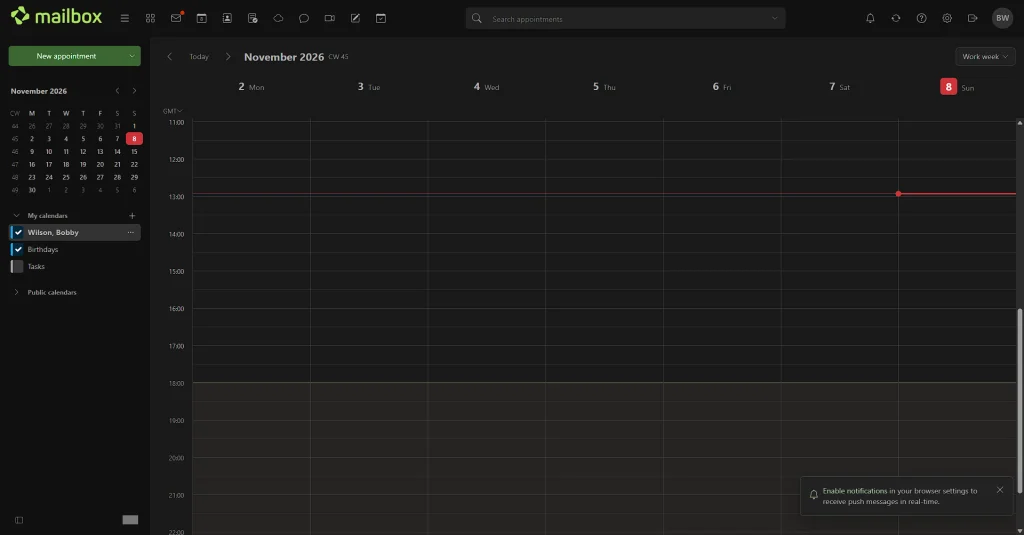
The calendar looked clean, and I could create an appointment either with the New appointment button or by double-clicking a date and time. Both methods worked. I also changed an appointment’s date and time, and the calendar updated correctly.
Adding a contact was straightforward, and creating a task worked too. I found both tools clean and easy to use. My checks covered those basic actions rather than invitations, reminders or syncing everything with another app.
Drive, documents, spreadsheets and presentations
Drive is mailbox.org’s file storage, separate from the email storage allowance. Standard includes 10 GB and Premium includes 100 GB. Light does not include it.
Uploading a file worked in my test, as did downloading it. I also uploaded an encrypted file. When I opened it, I was asked for my Guard password, and entering that password unlocked it.
Basic documents, spreadsheets and presentations also worked when I created them, typed into them and reopened them. These were basic checks, not a test of advanced editing or how well files work with other office software. I am not sure how much a typical email user needs these applications, but they are available if you do.
Custom domains and other features
A custom domain lets you use an address such as firstname.lastname@example.com with a domain you buy separately. Standard includes 50 addresses on your own domain and Premium includes 250, shared across the whole account. Those allowances are not separate amounts for each domain, and the addresses are not separate inboxes for different people.
Light does not include custom domains for a standalone account, although there is an exception for members of a family account. You add your address in mailbox.org and change some settings where you bought your domain, as explained in the official setup guide.
The service also offers video meetings and family accounts. Standard and Premium add a service for moving your email over from another provider, such as Gmail.
Support and help
Light has limited help for contract, credit balance and password-reset questions. Standard includes email support, normally answered within 48 hours on working days. Premium lists priority email support, normally within 24 hours on working days, and a telephone callback service.
A searchable collection of help articles and a user forum are also available.
Who would I choose mailbox.org for?
I would consider mailbox.org for someone who wants reasonably priced email and expects to spend much of their time using it on a computer. Light looks particularly appealing for basic needs within its storage limit. Standard is more relevant if you want your own domain, additional addresses or the connected storage and office tools.
At €1 a month, I would choose mailbox.org’s Light plan over Posteo, mainly because I prefer its look and feel. As I found in my Posteo review, though, Posteo includes twice the email storage, with 4 GB against Light’s 2 GB, so it is the better pick if space is your priority.
Proton remains my personal favourite because of its stronger default protection for emails and its other privacy products, such as a password manager, cloud storage and a VPN, which protects your internet connection. That does not mean everyone needs the same combination. For someone mainly interested in email, mailbox.org deserves consideration on its own terms alongside the other private email providers I have looked at.
On a computer, mailbox.org is a pleasant, capable email service with useful extras, and I would have no problem using it for my daily email. The €1 plan is incredible value, and if you want to use your own domain, the number of custom-domain addresses on Standard and Premium is generous too.
- Computer version I enjoyed using
- Straightforward alias creation and sender selection
- Useful calendar, storage and office tools
- Prices starting from €1 a month
- Basic mobile browser experience
- No mailbox.org email app in the App Store or Google Play
- Additional setup for stronger message encryption
- Sending to other email providers blocked during the free trial, so you can’t fully test it without paying
Verdict: I found mailbox.org more than capable enough for everyday email, with a computer version I would be comfortable using. Its payment controls and phone experience need more polish, but I think it offers incredible value. Light starts at €1 a month with annual payment, while Standard and Premium include generous allowances for extra email addresses.