Bobby Wilson
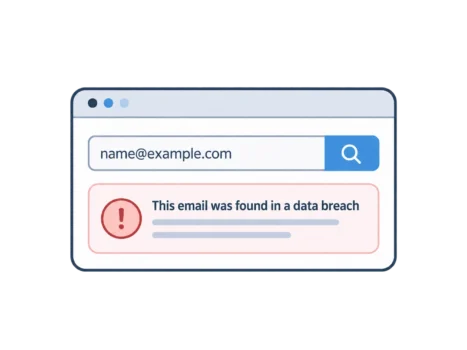
The easiest way to check if your email was in a data breach is to enter your email address on Have I Been Pwned, a free breach-checking site. It compares your address with records from known data breaches and shows where it has appeared.
How to Check Your Email on Have I Been Pwned
Open Have I Been Pwned. Enter the email address you want to check and start the search. The result shows whether that address appears in breaches held by the service.
You only need your email address for this search. Never enter your email password to check whether your address was breached. A breach-checking page that asks for your email password to perform this search is a scam.
The website also offers free alerts. Enter your address, then confirm you own it using the verification email sent to your inbox. You can then receive an alert when your address appears in a newly added breach.
Some breaches contain especially sensitive information and are hidden from public searches. After verifying your address, you can view those breaches in your dashboard. This protects people from having their membership of sensitive websites exposed to strangers.
What Your Result Means
If the site says your address has been pwned, your address was found in data exposed through a breach or related leak. Often, the data comes from a website or service you used. Sometimes it comes from other sources, including collected marketing lists.
A result does not mean your email account has been hacked. It means your address appeared in the records, not that someone signed in to your inbox. These are different problems, although a breach can put an account at risk.
The results identify the breaches or datasets involved and describe the kinds of information exposed. These can include email addresses, names, phone numbers and passwords. The site does not display your actual leaked password.
An exposed password is the most urgent risk to address. Someone may try that password on other accounts, especially if you have reused it. This is why changing reused passwords matters even when your inbox appears normal.
What to Do If Your Email Was in a Breach
Start by changing the password on the breached website, especially if the breach involved passwords. Do this through the website or app you normally use. Avoid using links in unexpected breach notifications.
Change the password anywhere else you used the same one. Start with your email account, because access to your inbox may help someone reset other account passwords. You can also review how to secure your email account and turn on two-factor authentication for email.
Watch for unexpected messages that mention the breach or use your leaked details. Criminals can use real names, phone numbers or account details to make phishing emails look convincing. Treat an unexpected email telling you to click a link and “verify” your account because of a breach as a scam. Go to the company’s website or app yourself instead.
If you see unfamiliar sign-ins, missing emails or settings you did not change, someone may already have access. Follow what to do if your email is hacked rather than relying on a breach search alone.
What a Clean Result Does Not Tell You
A clean result means your address was not found in the breaches currently included in the site’s search. It does not prove your details have never been leaked. Some breaches go undetected, and not every exposed dataset is included.
A clean result does not mean your email address is private, either. Companies, data brokers and marketing lists can collect, share and sell addresses without a security breach. This helps explain why spam emails and scams can reach an address that has never been “pwned”.
Data removal services address some of this separate sharing. They send removal or opt-out requests to data brokers and people-search websites, asking them to delete your details or stop distributing them. Coverage varies, and information can sometimes appear again.
These services cannot undo a data breach or erase copies of stolen data already circulating in leaked databases. They also cannot reliably remove information already shared on the dark web. Removing a listing from a data broker is different from removing stolen data.
How to Limit the Damage From Future Breaches
Use a strong, different password for every account. If one website loses passwords, the exposed password will not unlock another account where you used a different one. A password manager makes this practical by generating and storing passwords for you.
For everyday sign-ups, an email alias or burner email can keep your main address out of a website’s records. If that website later has a breach, the exposed address may be the alias rather than your main one. This reduces exposure of your main address, but does not prevent the breach itself.
Some password managers also include breach monitoring. Depending on the feature, they can flag exposed passwords or alert you when a monitored address appears in new breach data. Alerts give you a chance to respond, but they do not stop breaches happening.