
 Bobby Wilson
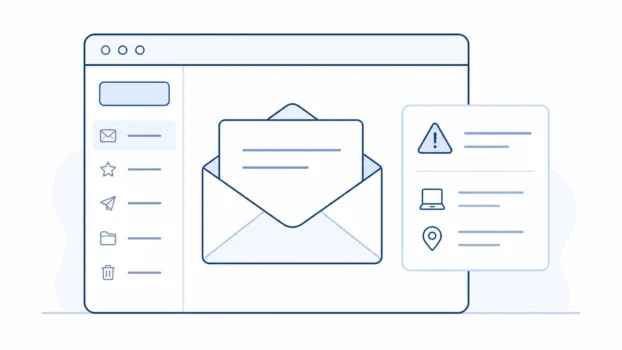
Yes, email accounts can be hacked, but usually in ordinary, preventable ways. Most account takeovers happen through stolen, reused, or weak passwords, deceptive sign-in pages, or unsafe account settings. A strong, unique password and two-factor authentication block many of the most common ways ordinary email accounts are taken over.
How email accounts get hacked
When people say an email account was “hacked”, they usually mean it was taken over: someone signed in without permission and can read, send, and delete mail as if they were you.
Nobody can hack your inbox just by knowing your email address. Your address is not a password, and it is normal to share it with websites, shops, services, and other people. Someone can use your address to send phishing messages or try leaked passwords against it, but the address alone does not let them sign in.
In most ordinary cases, someone needs your password, access to a device or session that is already signed in, or a way to trick you into handing over your sign-in details. Account takeovers usually happen through a few predictable routes.
Phishing. Phishing is when a fraudulent message tricks you into typing your password into a fake sign-in page or handing over personal details. This is one of the common ways attackers steal passwords.
Reused passwords and data breaches. A data breach is when information held by a company or website is exposed, stolen, or accessed without permission. If that breach includes email addresses and passwords, attackers can use software to try those same combinations on other services automatically. This is called credential stuffing. If you use the same password for your email as you used on a breached website, your email account is at risk even though your email provider did nothing wrong.
Weak passwords. Short or guessable passwords, such as pet names, birthdays, favourite teams, and “password1”, can be cracked or guessed quickly, especially if some of those details are visible on social media. Swapping letters for lookalike characters, such as “o” for “0”, does not help much. It is a trick attackers already know.
Malware. Malware is harmful software on a device. Some malware is designed to record what you type, steal saved passwords, or collect sign-in details from an infected computer. This is another reason to keep your devices, browser, and apps updated.
Much of this is not personal. Common attacks such as credential stuffing and mass phishing are often automated or sent in bulk. “No one would bother hacking me” is the wrong way to think about it, because software can try large numbers of stolen passwords without caring who owns each account.
One older fear is also often overstated today. Signing in to email over public Wi-Fi is much safer than it used to be, because connections to webmail services are usually encrypted in transit, meaning scrambled between your device and the provider. That does not make every network safe, and it does not protect you from a convincing fake sign-in page. It just means public Wi-Fi snooping is not the main risk it once was for ordinary webmail use.
What a hacker can do with your email
Your email is one of the most important accounts to protect because it is often the recovery address for other services. Someone with access to your inbox may be able to request password resets for shopping, cloud, social media, and other linked accounts. They may also see personal information, financial alerts, private conversations, and messages that help them attempt fraud elsewhere.
They can also send messages that appear to come from you. That can be used to trick friends, family, colleagues, or customers, because people are more likely to trust a message from an address they recognise.
There is also a quieter trick: forwarding rules. A forwarding rule is a mailbox setting that automatically sends copies of incoming mail to another address. Attackers sometimes add one so they continue receiving your emails, including password-reset messages, even after you change your password.
Signs your email has been hacked
The common warning signs are messages in your sent folder that you did not write, contacts receiving strange emails from you, security alerts about sign-ins from unfamiliar places or devices, a password that suddenly stops working, emails going missing, and forwarding rules or filters you did not set up.
One confusing point is that an email that looks like it came from your address does not always prove your inbox was hacked. Attackers can sometimes spoof a sender address, which means making a message look like it came from someone else. But if the message appears in your sent folder, your settings have changed, or you are seeing login alerts you do not recognise, treat it as possible account compromise.
If you are worried rather than seeing any of these signs, you can check whether your email was in a data breach using Have I Been Pwned, a well-established free service run by security researcher Troy Hunt. You can also register there to be alerted if your address appears in future breaches. Be clear about what a result means, though: appearing in a breach list means some website holding your details was breached. It does not mean your inbox itself was opened. They are different problems, and only one of them is your email account being hacked.
What to do if your email is hacked
If you think your email has been hacked, act quickly. Regain access through your provider’s official recovery page, change the password, sign out of every device, and remove any forwarding rules or connected apps you did not set up. Then turn on two-factor authentication.
Changing the password alone is not a full fix, because forwarding rules and open sessions can keep an attacker connected. Work through the full recovery steps for what to do if your email is hacked in order.
How to protect your email account
A few habits reduce the risk from the most common account takeover methods, and securing your email account properly takes only a few minutes. Use a strong password that you use nowhere else. Three random, unconnected words joined together make a password that is long, memorable, and hard to crack. A password manager is an app that generates and stores unique passwords for every account, which removes the need to remember them all.
Turn on two-factor authentication, sometimes called 2FA or two-step verification. It means signing in takes your password plus something extra, such as a code from an app on your phone. With 2FA on, a stolen password on its own is usually not enough to sign in. App-based codes or a physical security key are stronger than codes sent by text message, but any second factor is a big improvement over none.
If your email provider supports passkeys, they are also worth considering. A passkey is a newer sign-in method that can replace or strengthen password-based login, and it is designed to resist phishing because there is no normal password for you to type into a fake page.
An email alias is a separate address that delivers to your normal inbox. It can also help because it lets you sign up for services without giving the same main address to every website. It does not stop account takeover by itself, but it can reduce how widely your main email address is exposed. Finally, keep your devices, apps, and browser updated. Updates include security fixes that close the holes malware relies on.

Does your email provider matter?
Less than your habits do. A unique password and two-factor authentication matter more than which provider you use. Provider choice still matters in a smaller way, because different services include different account-protection tools.
Private email providers such as Proton Mail and Tuta support two-factor authentication and security keys, and they let you review or close active sessions. Proton also offers dark web monitoring on paid plans and built-in aliases through Proton Pass. These features are useful, but they do not replace the basics. A reused password is still a risk on any email service, and no provider can make poor account security harmless.