
 Bobby Wilson
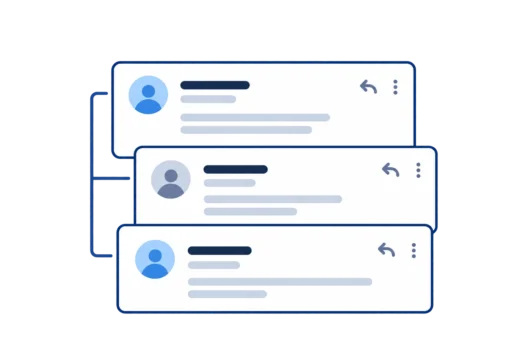
An email thread is the original email and the replies that follow it, grouped together as one conversation. This lets you follow the exchange without having to find every message separately. People also call it an email chain or an email conversation.
Is an Email Thread the Same as an Email Chain?
In everyday use, email thread, email chain and email conversation all mean the same thing. They describe a series of messages exchanged about the same subject, rather than one email on its own.
You might hear someone call a long exchange an email chain, while your inbox labels it a conversation. The wording changes, but the meaning does not. An email chain is not a different kind of email.
What Does an Email Thread Look Like?
When an email app groups replies, your inbox may show one entry for the whole exchange instead of a separate entry for each message. This may include the subject, the people involved and a number showing how many messages belong to it. Opening that entry lets you read the individual emails.
Some messages may be collapsed, meaning their contents are hidden until you select them. The oldest message might appear first, or the newest might be at the top, depending on the app and its settings.
For example, imagine an exchange about meeting on Saturday:
- Sam emails Jo to ask whether Saturday works.
- Jo replies to confirm that it does.
- Sam replies with a time to meet.
When these messages appear together in the inbox, you can follow all three emails as one exchange.
What Is Quoted Text?
Sometimes a reply includes words from an earlier email underneath the new message. This is called quoted text, because text from a previous message has been repeated inside the reply.
Quoted text may appear below a line or remain hidden until you expand it. It is part of the message itself, whereas the thread is how the separate emails are displayed together in your inbox.
How Do Emails Stay in the Same Thread?
Using Reply normally continues the existing exchange. Each person can respond to the last message while keeping the discussion connected to the earlier ones.
Forwarding carries the earlier message, along with any previous text included in it, to somebody else. That does not mean the forwarded email will appear in the same thread for everyone. Writing a brand-new email generally starts another conversation.
Why Did My Reply Start a New Thread?
A reply may appear separately if its subject has changed. In Gmail, changing the subject starts a new conversation. In other email apps, changing the subject can make messages appear separately, but different apps do not always group messages in the same way.
A reply appearing on its own does not mean the earlier emails have been deleted. They may still be listed elsewhere in your inbox.
Carry on in the thread while the subject is the same. When the topic changes, start a new email with its own subject.
What Do Common Email Thread Phrases Mean?
If someone writes “see thread below”, they mean the earlier exchange is included further down the email. That text provides the background for the latest message, so you can understand what has already been discussed.
“Keep this in the same thread” means continuing to reply to the existing exchange rather than starting a separate email. “Looping you in” means adding you or another person to the discussion. These are everyday expressions, not special types of email.
What Happens When Someone Is Added to an Email Thread?
Adding somebody to an email discussion does not automatically let them see everything sent before they joined. Of the earlier exchange, they can see only what is quoted in the email they receive or included in a forwarded message. Other earlier emails are not automatically shared with them.
The difference between Reply and Reply All is who gets your answer. Reply sends it to the sender, while Reply All also sends it to the other recipients. When somebody needs an earlier message, forwarding an email passes that message and any quoted text along to them.
Someone joining later may therefore have less context than the people who exchanged the original messages.
Can You Turn Off Email Threading?
Yes. Email apps commonly let you show each message separately rather than display related emails as one group. Gmail calls this setting Conversation view. Apple Mail on iPhone calls it Organize by Thread, while Apple Mail on Mac uses Organise by Conversation. Outlook and Yahoo Mail also let you switch off conversation grouping.
Turning grouping off changes the way messages appear in your inbox. It does not delete any emails or stop somebody from replying to an existing message.