
 Bobby Wilson
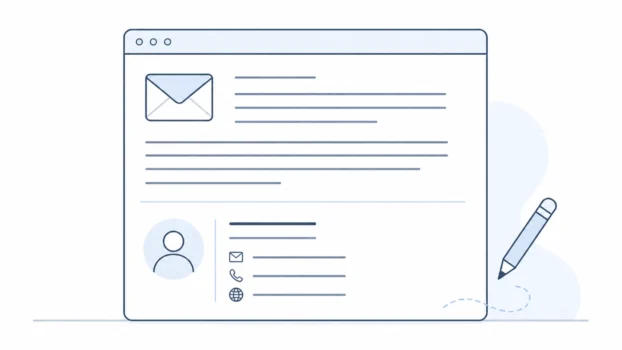
An email signature is a block of text, and sometimes an image, added automatically to the end of your emails. It usually includes your name and contact details. You set it once in your email settings, and it appears on the messages you send.
An email signature is the small sign-off section at the bottom of an email.
It is not usually a handwritten signature or a legal signature. It is more like a saved ending that your email service adds for you. Some people use a very simple signature with just their name. Others add a role, phone number, website, or other contact detail.
The main purpose is practical. A signature helps the person reading your email know who you are and, if needed, how to contact you.
What an email signature is
An email signature is a reusable block added to the end of an email message.
Reusable means you create it once and use it again. Instead of typing the same details every time you send an email, your email app can add them automatically. An email app is the service or programme you use to send and read email, such as Gmail, Outlook, or Apple Mail.
A signature usually appears below the main message and below your normal sign-off, such as “Kind regards” or “Thanks”. It is separate from the main body of the email, which is the message you write each time.
For example, a very simple signature might only include a name. A more detailed one might include a job title, company name, phone number, or website.
The signature does not replace the email itself. It is only extra information at the bottom.
What to include in an email signature
A good email signature includes only the details the recipient is likely to need.
For a personal email address, a simple signature may be enough. In many cases, your name is all you need. You might add a phone number, website, or social handle if there is a clear reason, but none of those are required.
For a light professional signature, you may want to include a little more. This could be your full name, role or job title, organisation, and a work contact method. A contact method is a way someone can reach you, such as a phone number, website, or email address.
A professional signature does not need to be complicated. Its job is to make the email clearer, not to turn the bottom of the message into a mini profile page.
A simple structure is usually best:
Name.
Role or organisation, if relevant.
One useful contact detail, if needed.
That is enough for many people. The right signature depends on who you email and what they need to know.
What to avoid in an email signature
The most common mistake is adding too much.
A signature goes at the bottom of every email it is attached to. If it includes too many lines, links, images, icons, quotes, or extra details, it can become distracting. In a short email, a long signature can look larger than the message itself.
Be careful with personal information. A personal phone number may be useful in some situations, but it does not need to go to everyone you email. Home details, such as a home address, are usually unnecessary for ordinary personal email.
Long legal disclaimers are also usually a business or workplace thing. A disclaimer is a statement added to limit responsibility or explain how information should be treated. Some organisations add them automatically, but most personal emails do not need one.
Images and logos can also cause problems. A large image may load slowly, appear as an attachment, or fail to display in some email apps. It may also look awkward on a phone screen.
A good signature should help the reader. It should not make the email harder to read.
Text, image, and HTML signatures
A plain text signature is the safest option for most people. Plain text means normal typed words without a complex layout.
An image signature is a signature saved as a picture. It may look neat, but it can fail to load or appear as an attachment. If the whole signature is an image, some people may not be able to see the details at all.
An HTML signature is a formatted email signature that can include things like colours, columns, buttons, or linked images. HTML is the code used to structure web pages and some formatted email content.
HTML signatures can look more designed, especially for businesses. But they can also display differently in different email apps. Some parts may be blocked or stripped out.
For most beginners, a short text signature is enough.
How to add an email signature
Most email services and apps have a signature setting.
You usually find it in settings, preferences, mail settings, account settings, or a section called “signature”. You write the signature once, save it, and the service adds it automatically to new emails, replies, or both, depending on your settings.
The exact location is different in each service. Gmail, Outlook, and Apple Mail all have signature settings, but they do not place them in exactly the same way. Some apps also let you set different signatures for different accounts.
This can matter if you use more than one email address. For example, you may want a short personal signature for one account and a more formal signature for a work account.
Some devices may also have their own signature setting. That means a signature set on your laptop may not always match the one on your phone. If your signature looks different on different devices, that is often why.
Do you need an email signature?
You do not have to use an email signature.
It is useful when you often send the same contact details or want your emails to look clear and consistent. It can also help in professional emails, where the recipient may need to know your role or organisation.
For personal email, a signature can be very simple. A name-only signature is often enough. Some people prefer not to use an automatic signature at all, especially for casual messages.
The best email signature is short, useful, and easy to read. It should give the recipient the details they need without adding clutter. You can start with your name, keep it simple, and adjust it later if you find yourself typing the same information again and again.