
 Bobby Wilson
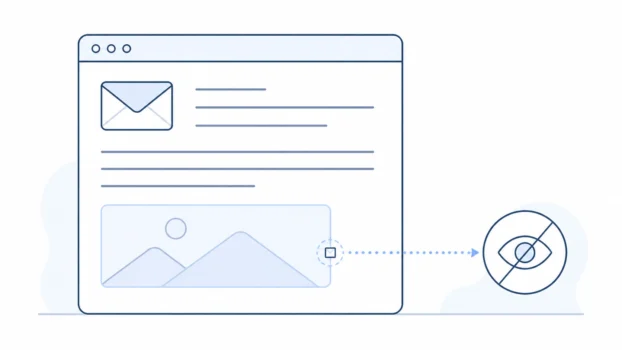
An email tracking pixel is a tiny hidden image inside an email. When images load, it can tell the sender that the email was opened and reveal some limited details. You can block many tracking pixels by stopping remote images from loading automatically.
What is an email tracking pixel?
An email tracking pixel is a tiny image hidden inside an HTML email. An HTML email is an email that can include formatting, links, and images, rather than only plain text.
The image is usually a single invisible pixel, which is a tiny point in an image, so you never see it. What matters is that it loads from the sender’s server. A server is a computer system that stores and sends online content.
When your email app displays images, the pixel loads from that server. Think of it as a tiny receipt request hidden inside the email: when the image loads, the sender’s system receives a signal that the email was opened. Unlike a read receipt, it never asks your permission first.
What can a tracking pixel reveal?
A tracking pixel can reveal limited information. It cannot see everything you do, but it can give the sender signals about the email.
It may show whether the email was opened. More precisely, it shows that the tracking image loaded, which is not always the same as a person reading the email.
It may show when the image loaded, and how many times. Repeat loads can look like repeat opens, but may be previews, apps checking mail, or privacy systems loading images in the background.
It may suggest a rough location. This usually comes from an IP address, which is a network address that can often suggest a general area, but not an exact home address.
It may also hint at the device or email app used. This too is imperfect. Tracking pixels are one reason people ask whether email is private, but they are only one part of that wider topic.
Who uses email tracking pixels?
Email tracking pixels are common in newsletters, marketing emails, and sales emails. The main reason is measurement. A newsletter sender may want to know whether people seem to open its emails, and a marketer may want to compare different messages. A sales tool may show whether a message appears to have been opened.
This is routine marketing measurement rather than spyware, though it can feel intrusive because it is usually invisible to the reader. In some countries, privacy laws require marketing senders to get your consent before tracking whether you open their emails. If you no longer want a newsletter, choosing to unsubscribe stops its tracking at the source.
Why tracking pixel data is often wrong
Many email services now protect readers by changing how images load, and they do it in different ways. A sender may still see an “open” in a report, but it may not mean what they think it means.
Apple Mail Privacy Protection
Apple Mail Privacy Protection makes open data unreliable and hides your IP address. It works by loading remote content in the background. Remote content means images and other content loaded from the internet instead of being fully contained inside the email. Apple also routes content through relays, and a relay is a server that passes data along without showing every detail to the sender.
As a result, the sender may not see your real IP address, and may not know whether you personally opened the email, because the images may have been loaded in the background. This does not block all tracking. It muddies open data and protects your IP address.
Gmail’s image proxy
Gmail takes a different approach. It uses an image proxy, and a proxy is a server that loads something on your behalf.
Instead of always loading email images directly from the original sender’s server, Gmail can load them through Google’s own servers. This helps hide your device and location details from the sender’s image server.
That does not mean Gmail blocks every tracking pixel. Senders may sometimes still see that an email was opened. This protection only covers what senders can learn. Whether Google itself looks at your Gmail is a different question.
How to block email tracking pixels
Tracking pixels usually need remote images to load. Remote images are images loaded from the internet when you open the email.
The simplest way to block many tracking pixels is to stop your email app from loading these images automatically. The trade-off is that some emails may look broken or incomplete until you choose to load them.
Gmail
In Gmail on the web, go to Settings > See all settings > Images > “Ask before displaying external images”. External images are images that come from outside the email itself, and this setting stops them loading until you say so.
Gmail’s mobile apps have the same option in settings. The exact place varies slightly between devices, but the idea is the same.
Outlook
Outlook is not one single experience, so the exact control depends on which Outlook app or version you use. Classic desktop Outlook blocks automatic picture downloads via File > Options > Trust Center. Newer Outlook versions load images through Microsoft’s servers automatically, with less manual control, so do not assume one set of steps covers every version. The safest advice is to look for external image, picture download, or privacy settings in the version you use.
Apple Mail
On iPhone, use Settings > Apps > Mail > Privacy Protection > Protect Mail Activity. On older iPhones, this may appear under Settings > Mail. On Mac, use Mail > Settings > Privacy.
Apple Mail Privacy Protection is not just an image-blocking switch. It protects your mail activity by hiding your IP address and making open data unreliable for senders, which can be easier than blocking every image yourself. It does not make every kind of email tracking disappear.
Private email services that block trackers for you
Some private email providers include tracker protection inside the mailbox, so the blocking happens before you need to change many settings yourself. Proton Mail removes known spy pixels and preloads the remaining remote images through its own servers, so records of when you opened an email stop meaning anything. Tuta loads no external content at all unless you choose to allow it.
This is a category of protection, not a promise that every possible tracker in every email is removed. Different services handle remote images and trackers in different ways.

Whichever route you choose, blocked images can leave blank spaces where pictures, logos, or buttons would normally appear. In most email apps, you can still load images manually if you trust the sender.
What tracking pixels cannot do
A tracking pixel cannot read files on your device. It cannot look through your photos, documents, or messages. It is an image request, not a file reader.
A tracking pixel cannot install software by itself. Malware is harmful software designed to damage a device or steal information, and a normal tracking pixel is not the same thing as malware.
A tracking pixel also cannot prove that you read an email. In tracking reports, “opened” usually means “the tracking image loaded”. You might have opened the message by accident, a preview pane or privacy feature might have loaded the image for you, or you might have read the text without images loading at all.