Bobby Wilson
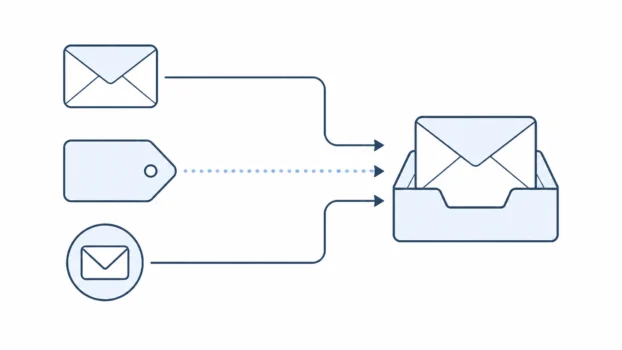
An email alias is an alternative email address that delivers messages to your existing inbox, rather than creating a separate account. For example, an alias like info@yourname.com could quietly deliver into your main inbox. People use aliases to organise mail, reduce spam, or avoid giving out their main address.
An alias is not a second, separate account. It is another address that points to an inbox you already have. That single idea explains most of how aliases work and why people find them useful.
An email alias vs a separate account
The most common confusion is thinking an alias is a whole new email account. It is not. A separate email account has its own inbox, its own login, and its own storage. You sign in to it separately, and it holds its own messages.
An email alias is different. It is an extra address that delivers into an inbox you already use. You do not sign in to an alias or manage a second inbox. Messages sent to the alias arrive in your normal inbox.
So the simple way to remember it is this. A separate account is another inbox. An alias is another address for the same inbox.
How email aliases work
When someone sends a message to your alias, the email service recognises the alias and delivers the message to your main inbox. From your side, the message just arrives like any other email. You open your inbox and it is there. You do not need to check a different place or sign in somewhere else.
Replying can work slightly differently depending on the service. Some email services let you send a reply so that it appears to come from the alias. Others may send your reply from your main address. Whether you can send “as” the alias depends on the provider and the settings they offer.
This is why an alias is best understood as an address, not an account. It changes what address a message is sent to, not where your email actually lives.
Common types of email alias
There are a few common forms of email alias that ordinary people come across. The first is plus addressing. This is where you add a plus sign and a word to your existing address, such as yourname+shops@gmail.com.
Messages still arrive in your normal inbox, and you can use the tag to filter or label them. It is worth knowing that not every provider supports plus addressing, and it does not always stop determined spammers, because the extra tag can sometimes be removed or ignored.
The second is a separate alias address that forwards to your main inbox. Instead of adding a tag to your existing address, this is a different address that delivers into the same inbox behind the scenes. There are more technical setups, such as catch-all addresses on your own domain, but those are more common in business or advanced use and are not needed to understand the basics.
The third is a provider feature often called something like “hide my email” or a built-in alias tool. Services such as Proton Pass, SimpleLogin and Apple’s Hide My Email let you create addresses that keep your real address private while still delivering messages to you. These masked addresses work much like a burner email, because you can turn one off when you no longer need it.
Why people use email aliases
Aliases are useful for a few everyday reasons. One is organisation. By using different aliases or tags for different purposes, such as shopping, newsletters, or accounts, you can filter and sort your inbox more easily.
Another is reducing spam. If you use a separate alias when signing up for something, and that alias later receives a lot of unwanted mail, you can often filter, disable, or stop using it without affecting your main address.
A third is avoiding giving out your main address. An alias lets you hand over an address without revealing the one you use for important accounts and personal messages. If a company you signed up with later suffers a data breach, the exposed address is the alias rather than your main one. For some people, this also acts as a light privacy layer, which is worth understanding properly rather than overestimating.
What an alias does and does not do for privacy
An alias can help with privacy, but it is not the same as being anonymous. An alias can hide your main address from a person or service you give it to. That can reduce spam and keep your important address more private. If an alias starts attracting unwanted mail, you can often stop using it without disrupting your main inbox.
However, an alias usually still connects back to the same account and the same provider. Plus addressing in particular still reveals your real base address, because the main part of the address is visible. And while an alias can hide your address from a recipient, it does not hide your email from your own provider.
So an alias is a useful tool for reducing exposure and managing who sees your main address. It is not full anonymity, and it is only one part of the wider question of whether email is private.
How to get an email alias
How you create an alias depends on the email service you use. Many providers include alias or plus addressing features, though the exact options and names vary.
Some let you add alias addresses in your settings. Some offer plus addressing automatically. Some, particularly those focused on privacy, offer built-in tools to create addresses that hide your main one.
Because the setup differs from service to service, the practical step is to look in your email settings for anything mentioning aliases, additional addresses, or hiding your address. Privacy-focused services often make this a central feature, which is one reason people exploring private email providers come across aliases in more detail.