
 Bobby Wilson
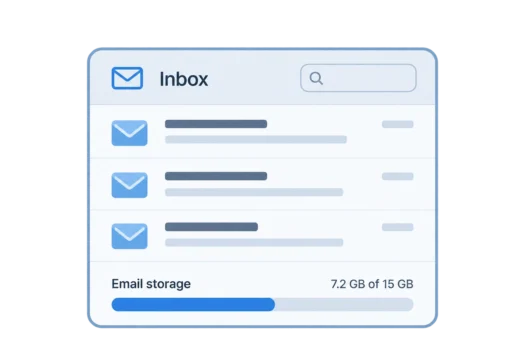
Email storage is the space your email provider gives you to keep your messages and attachments. Your account has a storage allowance, which may also be shared with other services such as cloud files and photo backups.
Storage is normally measured in gigabytes (GB). You can see how much you have used in your account settings. Your available space depends on the provider and whether you have a free or paid account.
What Counts Towards Your Email Storage
Every email you keep uses some space, even if it contains only a few words. Attachments such as photographs, documents and videos usually use much more space than text. When you attach a file to an email, the message will generally take up more storage.
Your email folders organise messages but do not reduce how much space they use. Emails in Sent still count, and so do spam emails. Messages in Trash or Deleted Items also take up space until they are permanently deleted.
Moving an email out of the inbox does not remove it from storage. For example, archiving removes an email from your inbox view while keeping it in your account. The email and its attachments still use the same space.
This explains why a nearly empty inbox can belong to an almost full account. Much of your stored email may be sitting in other folders, including messages you sent years ago.
What Happens When Your Email Storage Is Full
When your email storage is full, you usually cannot send or receive new messages. An email you try to send may fail, and new messages may never reach your inbox. Your existing messages generally remain accessible, but normal email delivery is interrupted.
Someone emailing you might receive a bounced email saying that your mailbox is full. They may assume your address no longer works. Emails rejected while your mailbox is full are not delivered later when you clear space. The sender has to send them again.
A full mailbox is a common but overlooked reason for not receiving emails. Providers normally warn you as your account approaches its limit, often through an email or a notice in the app. Checking your storage usage can help explain why messages have suddenly stopped arriving.
How Much Free Storage Do Email Providers Give You?
Gmail gives personal accounts up to 15 GB of free storage, shared between Gmail, Google Drive and Google Photos. That is one combined allowance, not a separate allowance for each service. A full Drive or a large photo backup can therefore prevent you from sending or receiving Gmail messages.
Outlook.com gives you 15 GB of free mailbox storage, plus 5 GB of separate Microsoft cloud storage. Your attachments count towards the 5 GB cloud storage, along with your OneDrive files, rather than towards your mailbox. Exceeding either limit can stop you sending and receiving email, even when the other allowance still has space.
Yahoo Mail began reducing its previous 1 terabyte (TB) free storage allowance in 2025. The new limit varies by region. Its UK storage offering lists 15 GB free, while its US offering lists 20 GB free.
iCloud Mail uses the 5 GB of free iCloud storage shared with photos, device backups and other files. A large photo library or device backup can therefore fill the storage available to your email, even when your mailbox contains relatively few messages.
Storage allowances can change, and individual accounts may have different limits. Check your account’s storage page for the amount that currently applies to you.
How to Free Up Email Storage
Start with old emails that contain large attachments. A few messages containing photographs or documents can take up much more room than hundreds of short emails. Some providers let you search for large messages or filter emails that have attachments.
Before deleting an email, save any attachments you want to keep. A saved copy means you can still access the file after the original message has gone. Remember that saving it to cloud storage linked to the same account may still use your shared allowance.
Deleting a message may only move it to Trash or Deleted Items. Empty that folder to permanently remove messages you no longer need, and clear the Spam or Junk folder too. Some services remove these messages automatically after a period, but emptying the folders yourself can recover space sooner.
Newsletters can also build up over time. You can unsubscribe from emails you no longer read to reduce future messages. Unsubscribing does not remove the copies already stored in your mailbox, so delete those separately if needed.
If your email shares storage with other services, check those as well. Large cloud files, videos and photo backups may take up more space than your messages. Removing unwanted files elsewhere in the account can sometimes restore space for email without deleting important conversations.
When Is It Worth Paying for More Storage?
Paying for more storage can make sense if you need to keep years of email or regularly receive large files. It may also be useful if you run a business from your inbox and need to retain important conversations, receipts or records.
A paid plan usually increases the amount of data you can keep. Depending on the provider, that extra space might also cover cloud files, photos and device backups. It is worth checking whether storage is shared or whether separate limits still apply.
Switching provider is another option if your current allowance is too small. Storage limits differ between email providers, alongside their other features and account restrictions. Moving email services may also mean transferring old messages if you want to keep them.
Some private email providers offer smaller free storage allowances while placing greater emphasis on privacy. That may be enough if you mainly keep text messages. If you retain large attachments or many years of email, the available storage becomes more important.