
 Bobby Wilson
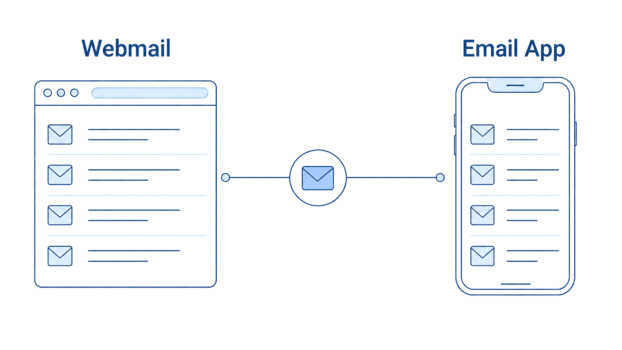
Webmail means reading your email through a website in a browser. An email client is an email app on your phone, tablet, or computer. They are not usually separate inboxes. Many people use both with the same email account, such as Gmail in a browser and the Gmail app.
The difference is simpler than it sounds. Webmail is where you open your email in a browser, such as Chrome, Safari, Edge, or Firefox. An email client is where you open your email in an app installed on a device.
What is webmail?
Webmail is email you open through a website. If you go to Gmail, Outlook.com, Yahoo Mail, Proton Mail, or iCloud Mail in a browser and sign in, you are using webmail. The email service runs through the website, and you read, send, delete, and organise your messages there.
The main advantage is simplicity. You usually do not need to install anything. You open the website, sign in, and your inbox appears.
This can be useful when you are on a laptop, a desktop computer, or a device where you do not want to add an email app. It also means your email is not tied to one particular app on one particular device.
Webmail is not a separate type of email address. It is a way to open an email account you already have.
What is an email client?
An email client is an email app on your phone, tablet, or computer that shows your email. The word “client” is the technical term, but most people do not speak that way. They say “the Gmail app”, “Apple Mail”, “Outlook on my laptop”, or “the Mail app on my phone”. Those are all examples of email clients.
An email client can show one email account, or it can bring several accounts into one app. For example, someone might use one app to check a Gmail account, an Outlook account, and an iCloud account.
This is why email clients are common even when people do not know the term. If you check your email in an app on your phone, you are already using one.
The important point is that the app is not usually creating a new inbox. It is showing email from an account you already have.
Is Gmail webmail or an app?
Gmail can be both, depending on where you open it. If you open Gmail in a browser by going to the Gmail website, that is webmail. You are reading your Gmail account through a website.
If you open the Gmail app on your phone or tablet, that is an email app. The more technical name for that kind of app is an email client.
Both can show the same Gmail account. If you read a message in the Gmail app, you would normally expect that same account to show the same message as read when you later open Gmail in a browser.
The same idea applies to Outlook. Outlook.com in a browser is webmail. The Outlook app on your phone or computer is an email app. Both can be different ways to open the same Outlook account.
This is the part that often causes confusion. “Gmail” is not only one thing in everyday use. It can mean the email service, the website, or the app. The difference is where you are opening it.
Can you use both webmail and an email client?
Yes. Many people use both without thinking about it. You might check your email in a browser on your laptop during the day, then use the app on your phone later. You might use webmail on a shared computer, but use Apple Mail, Gmail, or Outlook on your own device.
This does not usually mean you have two different inboxes. It usually means you are opening the same account in more than one place.
That is why “webmail vs email client” is not quite like choosing between two separate email services. It is more about the access method. One opens your email through a website. The other opens it through an app.
Most email apps connect to your account using IMAP, so the same mailbox is shown in every place you open it. That is why a message you send, delete, or mark as read in one place will usually be reflected when you open the same account somewhere else.
Which one suits which moment?
Webmail is handy when you want a simple way to check your email in a browser. You do not need to install an app, and you can usually get to your inbox by visiting the email service’s website and signing in.
That can be useful on a computer you do not normally use. For example, you may want to check email on a family computer or a temporary work machine. If you do this, use trusted devices where possible and sign out when you are finished. Signing out of shared computers is one of the simplest ways to keep your email account secure.
Webmail can also feel simpler if you only use one main email account. You open the website, use the inbox there, and avoid adding another app to your device.
An email app is useful when you want email to feel more built into your phone, tablet, or computer. It can give you notifications, sit on your home screen or desktop, and make email easier to check throughout the day.
An email app can also be helpful if you have more than one email account. Instead of opening several websites, you may be able to add different accounts to the same app and check them in one place.
Offline access is another difference, but it is worth saying carefully. Webmail normally needs an internet connection, though some services offer limited offline access if you turn it on. Some email apps can also show messages that have already been downloaded or cached on the device, even when you are not currently connected.
So the practical answer is not “webmail is better” or “email apps are better”. Webmail is often simpler when you want browser access with nothing installed. An email app is often more convenient on your own device, especially if you check email often or use several accounts.